
 Jitendra
The Complete DotNetNuke (DNN) Administration Guide
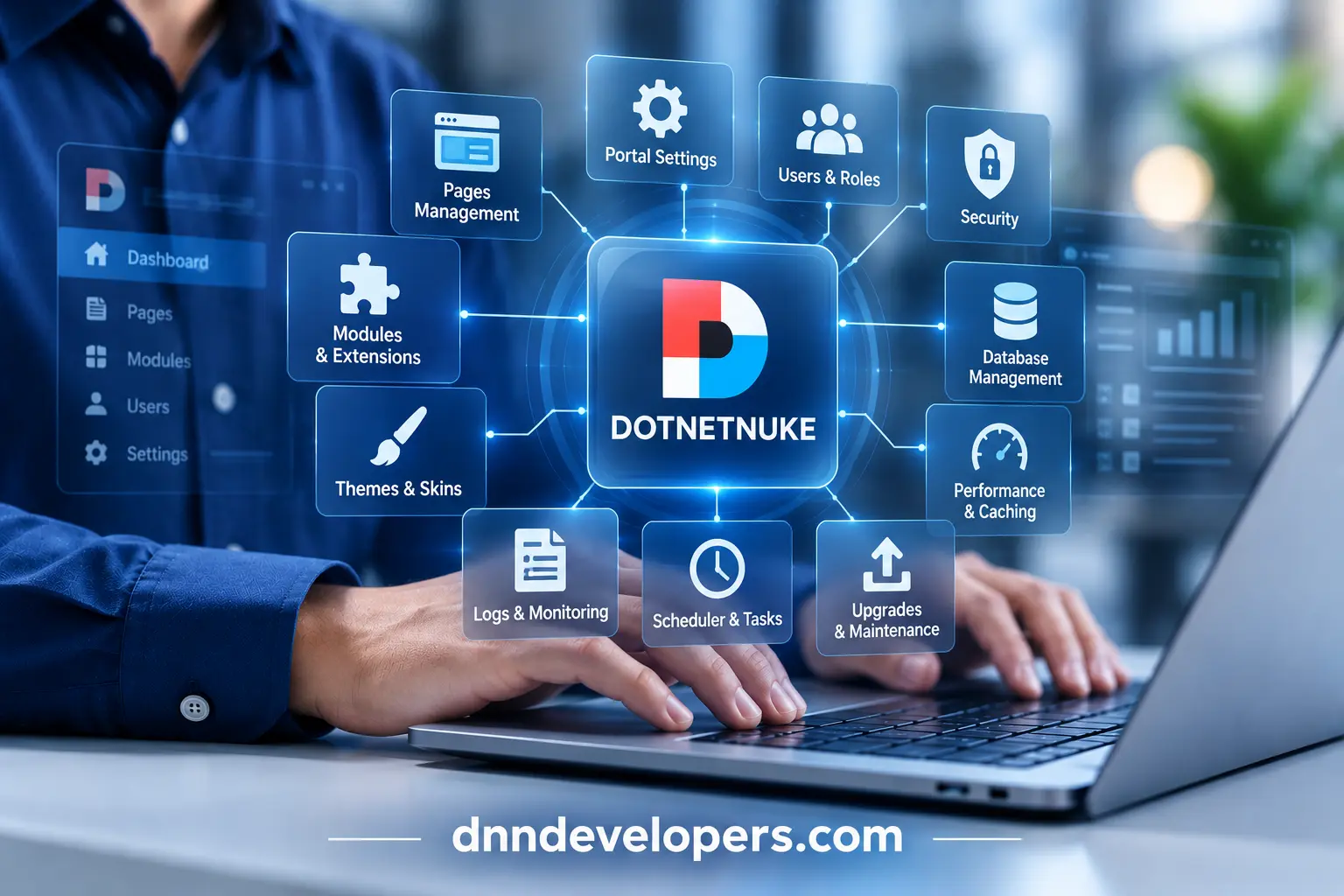
Managing a DotNetNuke (DNN) website involves more than editing pages. A reliable installation needs controlled access, compatible extensions, secure IIS and database configuration, tested backups, suitable caching, correct scheduled tasks, and a repeatable process for patches and upgrades. The exact procedure varies by DNN version, product edition, hosting environment, and installed extensions.
This guide brings the main administration responsibilities into one operational reference. It is written for DNN SuperUsers, portal administrators, IT and hosting administrators, and technical teams that maintain custom modules or older DNN websites. It prioritizes official DNN documentation and distinguishes platform-specific steps from broader Windows, IIS, SQL Server, and security practices.
Quick answer: To administer a DNN website safely, identify the exact platform version and edition, verify compatibility requirements, keep security fixes current, protect SuperUser accounts, manage permissions by role, monitor application and IIS logs, tune caching and scheduled tasks based on evidence, back up both database and files, and test every significant upgrade or recovery in staging before production deployment.
Version note (checked October 26, 2026): The official DNN Platform release repository lists version 10.4.0 as the latest release at the time of research. This changes over time. Confirm the official release page and the Suggested Upgrade Path before carrying out a production change.
Who should use this guide?
- SuperUsers/Hosts manage installation-wide settings and can access multiple portals within the instance.
- Site administrators manage a particular portal, including users, pages, content, and site-specific settings.
- Hosting and IT administrators manage IIS, Windows, certificates, file permissions, databases, monitoring, and infrastructure.
- DNN developers and technical leads manage custom code, module and theme compatibility, API changes, integrations, and upgrade remediation.
These roles overlap in some organizations. Still, the access needed to perform an administrative task should be separated from the access needed to operate the server or database. Assign the least privilege that allows each person to do the job.
How to use this guide safely
Treat the procedures as a framework, not as a substitute for the instructions associated with your exact version. Before a production change, record the current version and edition, read relevant release notes, identify custom and third-party dependencies, take a recoverable backup, and rehearse the procedure in a representative staging environment. A successful page load alone does not prove that a migration or upgrade is complete.
1. DNN administration fundamentals
DNN is a web content management platform built on the Microsoft web stack. A typical deployment consists of application files served by IIS, an application runtime compatible with the chosen DNN release, and a Microsoft SQL Server database that stores structured platform and website data. Files such as uploaded media, themes, extension assets, configuration and custom code also matter to the complete application. The official DNN setup guide describes this IIS/application-files and SQL Server architecture.
Key concepts
| Term | What it means operationally |
|---|---|
| DNN Platform | The open-source DNN CMS/platform. Check the precise release and its requirements. |
| Evoq | A commercial DNN product line with edition-specific capabilities and its own release/package guidance. Do not assume its version numbers map directly to Platform releases. |
| Installation/instance | The deployed DNN application and its installation-wide configuration. One instance can host multiple portals. |
| Portal/site | A website managed by the DNN instance. Many settings and roles are portal-specific. |
| Site alias / portal alias | A hostname or address DNN uses to map a request to a site. DNS and IIS bindings must also be correct. |
| Page | A content/navigation destination within a portal. |
| Module | A functional component placed on a page. Different instances may have different settings and permissions. |
| Extension | An installable package that may contain modules, providers, themes, libraries or other platform components. |
| Theme/skin and container | Presentation components that control layout and the appearance of the page or module. Terminology varies by generation of DNN. |
| SuperUser/Host | An installation-level privileged account with broad access across the instance. |
| Administrator | A privileged user whose permissions apply to a portal rather than automatically granting server or database access. |
| Role and permission | A way to grant access to people according to their responsibilities. Pages, modules and functions may have separate permission settings. |
| Scheduler | The platform’s background-task mechanism. Task timing, mode and workload affect reliability and performance. |
An important distinction is that DNN administration is not the same as server administration. Changing a portal’s page permissions does not configure NTFS permissions. Adding a portal alias does not create a DNS record or IIS binding. Creating a database backup does not back up the uploaded files and custom extensions. Each layer has a separate configuration and verification method.
2. DNN versions, editions and compatibility
Start every maintenance task by identifying what is actually installed. Record the product (DNN Platform or Evoq), exact version, hosting model, .NET Framework version, database version, installed extensions, custom modules and themes, and any external authentication or integration components.
Compatibility overview
The following is a planning summary, not a substitute for the exact release documentation.
| Scope | Research finding | Operational action |
|---|---|---|
| DNN Platform 10.4.0 | Listed as latest by the official GitHub release page on October 26, 2026. | Recheck the release page and notes immediately before publication or upgrade. |
| DNN Platform 10.0.0+ | Official requirements page lists .NET Framework 4.8.0 minimum and IIS-enabled supported Windows/Azure environments. | Do not try to run DNN 10 on a .NET Framework version below its documented minimum. |
| Database | DNN requirements page lists SQL Server 2017, 2019, 2022, and Azure SQL Database. | Confirm that the exact DNN version, hosting model, provider and database configuration are supported. |
| DNN 9.x | Older 9.x releases differ from DNN 10 in prerequisites, deprecated APIs and Telerik handling. | Follow version-specific requirements and remediation instructions; do not apply DNN 10 instructions to 9.x blindly. |
| Evoq | Commercial product releases and package requirements differ from DNN Platform. | Use the correct Evoq package and official Evoq upgrade path. |
| Older releases | Documentation may use legacy Control Panel/Host paths or describe components removed in later releases. | Treat older instructions as version-scoped and validate them against current release notes. |
Primary references: DNN Platform Requirements, DNN Platform Releases, and the Evoq recommended upgrade path.
A “compatible” product combination is not necessarily the best long-term production combination. For example, a DNN requirements page may list an older Windows Server release, while Microsoft lifecycle support for that operating system may be approaching or past its end. Check current Microsoft support dates for the host OS and SQL Server and plan migrations before the infrastructure becomes unsupported.
3. System requirements and environment preparation
Before installation, confirm the target DNN release and then assemble the environment around its official requirements.
Core preparation areas
- Operating system and IIS. Enable the IIS features required by the application and its deployment model. Confirm the chosen OS is still supported by Microsoft and the hosting provider. Do not use an end-of-life operating system solely because an older DNN instance happens to run on it.
- .NET Framework. DNN Platform 10.0.0 and later documents .NET Framework 4.8.0 as the minimum. Confirm the installed runtime and relevant Windows servicing state. Do not confuse the .NET Framework required to run DNN with the SDK/tooling used to build a separate extension.
- SQL Server. Create a suitable database and credentials using the deployment instructions for the selected DNN version. Review the SQL Server edition’s resource and feature limitations before choosing Express for production.
- Application pool. Configure the IIS application using the identity and settings required by the selected version and deployment guide. Grant only the necessary file permissions. Avoid broad write permissions over the entire server or unrelated site directories.
- File system. Separate application files, uploaded content, logs, backups and deployment artifacts where the hosting model permits. Ensure the application can write only to the directories it needs.
- DNS and TLS. Plan the final hostname, DNS records, IIS bindings, certificate issuance and renewal. Confirm the certificate covers the hostname users will actually visit.
- Resource capacity. Estimate CPU, memory, disk, network throughput, database capacity, logs and backup storage using measured traffic and workload. Avoid treating a generic CPU/RAM figure as universally sufficient.
- Environments. Maintain separate development, staging and production environments. Use production-like configuration in staging while keeping real user data and secrets protected.
Pre-installation checklist
Use the official DNN Platform requirements page for the version you intend to deploy. Its current published scope identifies itself as covering DNN Platform 10.0.0 and later.
4. Installing DNN and completing the initial configuration
The official DNN support guide describes setup as a sequence: prepare the DNN folder and user account, enable and configure IIS, configure SQL Server, and then run the DNN installation wizard. Exact implementation details depend on the host and the specific release.
Recommended installation sequence
- Prepare the folder and identity. Deploy the approved installation package and configure the application identity and folder access. Do not grant more write permissions than the application needs.
- Configure IIS. Create or configure the website/application, application pool, bindings, runtime settings and relevant IIS features as specified in the installation guide.
- Prepare SQL Server. Create the database and login/permissions required for installation. Use an appropriate credential-handling practice and avoid putting production credentials in scripts or public notes.
- Start the installation wizard. Browse to the configured hostname and complete the steps for the selected installation package. Resolve any wizard errors rather than assuming the site is healthy because some pages render.
- Secure the initial privileged account. Use a unique, strong credential and only grant administrative access to accounts that need it. Protect recovery information using the organization’s approved procedure.
- Configure the initial portal. Set the intended site name, primary alias, language, page structure, roles and basic settings.
- Configure HTTPS and redirects. Validate TLS, hostname coverage, redirect behavior and the application’s understanding of the canonical site URL. Be careful when a reverse proxy or load balancer terminates TLS.
- Apply updates and review logs. Install applicable supported updates and review the application’s logs after installation. Verify that background tasks and important extension dependencies are healthy.
- Perform an initial validation. Test login/logout, permissions, email delivery if enabled, page editing, module rendering, file uploads, search and any business-critical integrations.
Installation versus new portal versus migration versus upgrade
- A fresh installation deploys the platform and creates its initial database/application setup.
- A new portal adds another site to an existing installation; it is not necessarily a separate server or database.
- A migration moves site files, database, hostnames, or infrastructure. It may also require URL, certificate and environment changes.
- An upgrade replaces the platform version and updates its database/schema as instructed. It can break custom modules or themes if APIs or dependencies changed.
These workflows overlap, but their risks differ. Do not use upgrade instructions for a new installation or treat a database restore as a complete application migration.
5. Understanding the DNN administrative interfaces
DNN has changed its administrative interface across releases. Current documentation often uses the Persona Bar; older documentation may refer to the Control Panel or Host menu. A menu path taken from an old guide should be treated as a clue, not automatically as the current path.
Administrative access levels
- SuperUser/Host: installation-wide privileges across sites in the instance.
- Portal Administrator: manages a particular site, subject to the platform’s permission model.
- Role-based user: receives specified access through roles and the permissions assigned to those roles.
- Hosting/DB administrator: controls the server/database outside the ordinary DNN portal UI.
Use the official task documentation for the target version. For example, current DNN support instructions place scheduler configuration at Persona Bar > Settings > Scheduler, while older documentation presents a different navigation structure. The same care applies to security settings, extensions, site aliases and SQL Console functionality.
Administrative change record
For significant changes, record the change request, target environment, DNN version, initiating account, backup identifier, steps taken, result, and rollback status. This is especially important for changes to permissions, extension packages, web.config, server settings, database access, authentication and upgrade procedures.
6. Managing portals, site aliases and site settings
DNN can host more than one portal in a single installation. A site alias maps an incoming hostname or path to the appropriate portal, but it does not replace DNS or IIS configuration. The hostname must resolve to the correct host, IIS must receive it, and DNN must have a corresponding alias.
Add or review a site alias
For versions using the documented Persona Bar workflow, DNN’s support guide specifies:
- Sign in with a suitable SuperUser/Host account.
- Open
Persona Bar > Settings > Site Settings. - Select
Site Behavior > Site Aliases. - Add or review the alias and its relevant options.
- Save the change and test the alias from a clean browser session.
- Confirm the alias’s DNS record, IIS binding, TLS certificate and redirect behavior.
See Adding a Site Alias and Managing Portal Aliases, Bindings and SSL.
The current alias may have restrictions on editing or deleting it from the same access path. If the active alias cannot be altered, use the documented alternative procedure rather than editing database rows manually.
Site configuration practices
Review the site’s intended primary hostname, site name, language, localization settings, contact details, default pages, file/media organization, page hierarchy and relevant SEO settings. Separate global installation settings from portal-specific settings. A global change can affect several sites; a portal change should not be assumed to apply to the instance as a whole.
When changing a production alias or domain, make a redirect and validation plan. Check existing inbound links, canonical URLs, authentication callbacks, external integrations, scheduled tasks that embed URLs, and any allowlists in third-party systems.
7. Pages, navigation, modules, themes and extensions
DNN websites are assembled from pages and navigation, modules placed on pages, themes/skins and containers, and installed extensions. Administration should preserve the separation between content, presentation and functionality wherever possible.
Pages and navigation
Before deleting, moving or renaming a page, review navigation dependencies, links from other pages, permission settings, redirects, search visibility and any module that relies on the page URL. Use appropriate versioning/workflow features if available, and document any content approval rules.
Modules and module instances
An installed module is not the same thing as a module instance placed on a page. A package may be available to the installation or portal, while each instance can have its own settings, data and permissions. Before changing an instance, confirm the page, module instance, target roles and whether cached output could make the visible result appear stale.
Extensions and compatibility
Before installing or updating an extension:
- Confirm the package is from a trusted vendor/source and that licensing requirements are met.
- Check the advertised DNN version, .NET target, dependencies and release history.
- Review required permissions, database scripts, files and external services.
- Inventory the currently installed version and create appropriate backups.
- Test installation, upgrade, configuration, access control, output and rollback in staging.
- Validate the extension on the exact target DNN build before releasing it to production.
For DNN 10 upgrades, pay particular attention to APIs marked obsolete in earlier releases and later removed. Vendor-provided compatibility claims should be checked against the actual module/theme build and an end-to-end test. Avoid direct edits to DNN core files as a customization approach; use supported extension points and keep custom code maintainable.
Themes and presentation
Check that the theme supports the DNN version and the site’s navigation/editing interface. Test responsive layouts, editor views, module containers, accessibility, console errors, resource loading, and page output after an upgrade. If a page works for anonymous visitors but fails in edit mode, inspect editor-specific scripts and module/theme compatibility rather than assuming the core is responsible.
For custom functionality that needs revision, see Custom DNN Module Development.
8. Users, roles, permissions and authentication
DNN’s role-based authorization model allows administrators to assign permissions to roles rather than manually grant every permission to every account. The official security documentation distinguishes authentication (proving identity) from authorization (determining what that identity may access).
Permission-design principles
- Give each account the minimum privileges required for its work.
- Use named individual accounts for administrators; avoid shared privileged accounts where practical.
- Use roles to group users by job function, not as a substitute for thinking through permissions.
- Review page and module permissions separately. A page may be visible while a component within it has different access requirements, or vice versa.
- Treat SuperUser/Host rights as installation-wide privileges. Reserve them for trusted operators.
- Review role membership and privileged accounts periodically and after staff changes.
- Test permissions using a non-administrator account that represents the intended audience.
- Document account recovery and emergency access without exposing credentials in ordinary operational notes.
Authentication and MFA
DNN authentication capabilities depend on the product edition, release, installed providers and integrations. Verify whether the selected version and configuration support the desired multifactor authentication or external identity provider. A third-party SAML, OpenID Connect, social login or MFA provider is an extension with its own compatibility and lifecycle requirements, not proof that every DNN installation includes the same feature by default.
Review password policy and account lifecycle, login throttling where available, external identity provider settings, redirect URLs, cookie configuration, account recovery flows and logs. For identity-provider changes, test sign-in, sign-out, callback URLs, role mapping and emergency access in staging before production.
9. Security hardening and vulnerability management
A secure DNN website depends on the platform version, extension set, permissions, server configuration, database, identity system, and operational response. No individual setting or scanner makes a site secure by itself.
Maintain the platform
Maintain an inventory of the DNN version, edition, extensions, themes, providers and bundled dependencies. Subscribe to relevant official release notes and security advisories. Prioritize fixes based on the affected component, severity, exposure, prerequisites and remediation guidance. A version that is newer is not automatically safe if the upgrade failed, custom code broke, or its prerequisites are wrong.
Handle Telerik components carefully
Older DNN/Evoq installations may contain Telerik components with known vulnerabilities. Official DNN guidance states that Telerik removal is mandatory in DNN 10.x and gives version-specific migration/removal instructions for earlier releases. The official article also warns that removing Telerik can break modules or other extensions that depend on it.
Safe approach:
- Identify the exact DNN/Evoq version and inspect for Telerik assemblies and dependencies.
- Review the official guidance applicable to that version.
- Back up both files and database and preserve the current configuration.
- Test the documented procedure in a clone of production.
- Verify core and third-party functionality, HTML editor behavior, uploads, document/media functionality and any extension that might use Telerik.
- Deploy during a planned window with a tested rollback option.
Start with Securing Telerik Components and How to Manually Remove Telerik. Do not copy older SQL scripts or DLL deletion steps into a new environment without checking the source, target version and dependency effects.
Protect privileged accounts and authorization
Use least privilege, strong unique credentials, MFA where available and appropriate, restricted administrative access, and periodic review of inactive and privileged accounts. Review SuperUser/Host accounts separately from portal Administrator accounts. Test role changes against real page and module permissions, including download links and files, not just navigation visibility.
Harden IIS, files and configuration
- Keep Windows, IIS and supporting components updated under the organization’s change-management process.
- Use a dedicated, appropriately constrained application-pool identity.
- Grant write access only to directories that require it.
- Prevent public access to backups, deployment archives, source files, diagnostic dumps, secrets and configuration artifacts.
- Review connection strings and other credentials using the environment’s approved secret-handling mechanism.
- Confirm upload restrictions, permitted file types, size limits and downstream processing behavior.
- Review request filtering and security headers based on the application and hosting topology.
- When deploying HSTS, confirm HTTPS is correct across the intended hostnames and understand the browser persistence implications before enabling long durations or include-subdomains behavior.
- Use a web application firewall or upstream filtering when appropriate, but do not treat it as a replacement for patching and application security.
HTTPS and identity integrations
Verify certificate expiry, complete chain, hostname coverage, HTTP-to-HTTPS redirects, application-generated URLs, cookies and callback URLs. If a reverse proxy terminates HTTPS, configure forwarded scheme/host handling according to the proxy and application documentation; incorrect assumptions can create redirect loops or insecure absolute URLs.
Monitoring and incident readiness
Centralize or regularly review application logs, IIS logs, authentication events, unusual administrative actions, server resource alerts, database errors and backup results. Define who can isolate a compromised instance, who can preserve evidence, how credentials are rotated, and how a clean restore is performed. If a compromise is suspected, preserve relevant logs and snapshots before destructive cleanup where possible. Removal of visible malware alone is not proof that persistence or unauthorized accounts have been removed.
10. Performance diagnosis, optimization and caching
Start with measurement and segmentation, not random configuration changes. DNN’s official Performance Issue Map recommends distinguishing server-side delays from client-side delays and collecting relevant logs and traces.
A practical diagnostic sequence
- Define the symptom. Is the site slow all the time or only at certain times? Does it affect every user or only authenticated users? Which pages and modules are affected? When did the problem begin?
- Record a baseline. Capture the URL, time, user state, browser, response codes, server resource levels and recent deployments or configuration changes.
- Separate server from browser time. A slow first byte can indicate server-side processing, database latency, application initialization or hosting delays. A fast HTML response with slow resources suggests client-side scripts, stylesheets, images, external services or excessive requests.
- Review logs. Collect DNN application/log4net logs and IIS logs for the affected period. Preserve exact timestamps and correlation information. Avoid increasing verbose logging in production without considering disk use and data sensitivity.
- Profile the responsible layer. Use approved application profiling, browser developer tools/Fiddler-like traces and SQL profiling where appropriate. Start with a reproducible request and use the profile to identify the actual bottleneck.
- Inspect database workload. Review slow queries, stored procedure calls, blocking and expensive third-party objects. Official DNN guidance notes that default DNN objects are generally indexed/optimized, but custom and third-party database objects may not be.
- Review scheduler and maintenance. Check whether search crawlers, cleanup tasks or other jobs coincide with the slowdown or run too often.
- Change one variable at a time. Apply a single measured change, compare the same scenario, and retain a rollback method.
Caching
DNN offers different cache mechanisms; the correct choice depends on whether output is personalized, how often the content changes and who can access it.
- Page output cache: the official support guide notes that it applies to unauthenticated users. It can reduce repeated rendering for public pages, but must not be treated as a cache for personalized/private output.
- Module output cache: can affect authenticated users and can make content appear stale. Clear or refresh it using the documented action when diagnosing stale module output.
- Server/application cache: can reduce repeated data retrieval or processing. Validate expiration and invalidation rules to avoid retaining sensitive or obsolete data.
- External caching/CDN: appropriate for public assets and suitable public pages, but requires explicit rules for authenticated content, cookies, query strings, cache purges and origin configuration.
After changing caching, verify both anonymous and authenticated views, permission boundaries, updated content, forms, shopping carts or other session-dependent modules, and pages with user-specific data. See Clearing Output Cache.
Scheduler and resource-intensive tasks
DNN’s performance guidance advises running only required scheduled tasks, at sensible intervals, because tasks such as search crawling can be resource-intensive. Do not disable a task just because it consumes resources: first determine what it does and what functionality depends on it. Review task history, execution duration, error logs and schedule frequency.
Extensions, themes and front-end resources
Temporarily compare the affected page with a minimal, safe test case where possible. Look for slow custom modules, theme resource loading, large images, unnecessary JavaScript, third-party API calls and repeated network requests. Use minification or file combination only after testing; the support guidance notes these optimizations can sometimes cause scripts or stylesheets to misbehave.
Database growth and maintenance
Monitor database size, index/query health, transaction-log behavior, and large log or history tables. Use approved evaluation and profiling tools to identify candidates before cleanup. Back up before removing records or modifying database objects. Avoid deleting tables or rows based on their names alone; DNN and extensions may depend on them.
11. Scheduler and background tasks
The DNN scheduler executes tasks such as indexing and other background operations. A scheduler problem can appear as missing search results, delayed updates, long-running processes or resource consumption at unexpected times.
For versions using the current Persona Bar interface, official support documentation describes scheduler configuration at Persona Bar > Settings > Scheduler. It identifies modes including Disabled, Timer Method and Request Method. Their behavior is different, so confirm the chosen mode is suitable for the hosting architecture. See Configure the Scheduler.
Scheduler review procedure
- Inventory each task, what feature depends on it, its schedule and recent execution history.
- Identify disabled tasks, repeated failures, unusually long execution, overlapping work and changes to task intervals.
- Match failures to DNN application logs, IIS events, database errors and resource metrics.
- Check whether a high-frequency task is doing unnecessary work or whether it needs to run less frequently.
- Validate scheduler behavior after a restart, application-pool recycle, upgrade or infrastructure change.
- After changes, verify the dependent functionality, including indexing, notifications, cleanup, imports or other business workflows.
In a web farm or scaled environment, verify scheduler behavior and task coordination using the relevant web-farm documentation. Do not assume every web node should independently run every background task.
12. Logs, monitoring and troubleshooting
When a DNN site fails, collect evidence before making changes. The official support guide for site/page loading issues recommends reviewing both application and administrative logs. For many installations, DNN logs are stored under Portals/_default/Logs, but confirm the configured path and permissions for your version/environment.
Common symptoms and first checks
| Symptom | First checks | Safe next step |
|---|---|---|
| HTTP 404 | Requested URL, page existence, portal alias, URL mapping, rewrite/redirect behavior | Confirm the correct hostname and path; review logs before changing routes. |
| HTTP 500 | DNN application logs, Windows Event Viewer, IIS logs, recent extension/config changes | Preserve exact exception details; reproduce in staging and isolate recent changes. |
| HTTP 502/503 | IIS/application pool, host availability, reverse proxy/load balancer, resource exhaustion | Check service health and infrastructure logs before recycling or restarting services. |
| Database connection error | SQL Server availability, connection string, credentials/permissions, network/firewall, TLS settings | Verify connection safely using the intended service identity and approved tools. |
| Slow page | Server/client split, time-to-first-byte, SQL, module timings, scheduler and resource metrics | Profile the bottleneck before tuning unrelated settings. |
| Stale content | Page/module output caching, CDN/proxy cache, publishing workflow | Clear the relevant cache and verify anonymous/authenticated views. |
| Missing module/theme | Extension files, package version, dependencies, theme configuration, logs | Restore or reinstall only using a tested package and documented procedure. |
| Login failure | Authentication provider, cookies, callback URL, time skew, role mapping, account status | Validate provider configuration and keep a tested emergency-access path. |
| Upgrade appears successful but UI is broken | Upgrade logs, package/version mismatch, missing assets, extension compatibility | Treat as possible incomplete upgrade; follow rollback guidance if version/component state is inconsistent. |
| Scheduler task not running | Scheduler mode, task schedule/status, logs, application lifecycle | Verify the task’s prerequisites and correct mode; do not leave all tasks disabled accidentally. |
Upgrade failures deserve special care
DNN support explicitly warns that a site may seem functional even when an upgrade has not completed successfully. It recommends examining logs and checking that the correct upgrade package and path were used. If a multi-node/web-farm deployment is involved, follow the relevant web-farm upgrade procedure. Read Troubleshooting Common Upgrade Problems and the target version’s upgrade instructions.
Do not respond to every failure by deleting logs, clearing every cache, changing permissions recursively or reinstalling extensions. Those actions can erase evidence or increase the damage. Record the symptom, reproduce it safely, locate the relevant exception, isolate the responsible layer and then apply the smallest justified change.
13. Backups, restoration and disaster recovery
A recoverable DNN backup must account for both the database and files. A database-only backup may omit uploaded files, deployed extension assemblies, themes, configuration, custom code and other resources required for a working site.
What to protect
- SQL Server database using a suitable supported backup strategy.
- DNN application files and the deployed version of every extension and theme.
- Uploaded media and documents.
- Relevant configuration, transformed for the target environment where necessary.
- Custom code, deployment packages and build/release identifiers.
- TLS/certificate and DNS information, where appropriate; never store private keys in an exposed backup location.
- External integration configuration and recovery procedures.
Design the plan
Set recovery point objective (RPO) and recovery time objective (RTO) based on business impact. Define backup frequency, retention, encryption, access controls, off-site storage, monitoring and ownership. The correct schedule depends on how much data can be lost and how quickly the organization must restore service.
Test restoration
- Restore the database and files to an isolated staging environment.
- Confirm the restored files and database represent a consistent recovery point.
- Update environment-specific connection strings, hostnames, secrets and integrations securely.
- Prevent the test site from sending production emails, payment requests or webhooks until those integrations have been deliberately isolated or configured.
- Validate login, role permissions, pages, uploads, module functionality, scheduled tasks and integrations.
- Measure restoration duration and document failures and adjustments.
- Keep the test result, not merely a log that says “backup succeeded.”
Before an upgrade, migration or security remediation, ensure a rollback backup is available and that the team knows how to restore it. A backup that has never been restored is an unverified recovery assumption.
14. Planning upgrades and migrations
Treat an upgrade as a controlled compatibility project, especially when a site contains custom modules, older themes, authentication providers, scheduled tasks, custom database objects or external integrations.
Pre-upgrade assessment
- Identify the exact source version, edition and hosting setup.
- Read source and target release notes, prerequisites and security advisories.
- Confirm the official recommended upgrade path and whether intermediate versions are required.
- Inventory core and third-party extensions, themes, providers, custom code and external integrations.
- Identify APIs marked obsolete or removed, runtime changes and dependency upgrades.
- Create complete, restorable backups and a representative staging copy.
- Define test cases, maintenance window, stakeholder communication and rollback criteria.
Follow the current DNN upgrade process
DNN’s official release notes point to the Suggested Upgrade Path. For DNN 10.2.0 and later, follow the dedicated post-10.2.0 upgrade process. Do not assume that an old “copy files over the website” method applies unchanged to each newer release. Some upgrade routes use a specific process documented by the maintainers.
The community’s upgrade-path guidance states that the suggested progression is based on community experience and cannot guarantee every site’s success. A site with legacy packages, a very old source version, unsupported extensions or custom code may require intermediate upgrades and remediation.
Post-upgrade validation
At minimum, test:
- Administrative login and navigation.
- Public page rendering and authenticated page rendering.
- Page/module editing and content publishing.
- Role and permission boundaries.
- Theme, containers, scripts and styles.
- File upload/download behavior.
- Search and scheduled tasks.
- Emails and external identity callbacks.
- Payment, CRM, LMS, SMS or other integrations where applicable.
- Error logs, IIS responses, performance and database behavior.
- HTTPS, canonical hostnames, sitemap and important URLs.
An upgrade is complete only when the platform, configuration and business-critical workflows have been validated. See DNN Upgrade Services for a professional upgrade assessment if legacy compatibility or downtime risk is outside your team’s capacity.
15. SEO, sitemap, URLs and search indexing
DNN SEO capabilities vary by version and installed extensions. Some settings are part of the administrative interface; other requirements may need a third-party extension or custom implementation. Inspect the actual site’s output rather than assume a control exists because another DNN installation has it.
Administration checklist for discoverability
- Give important pages unique, descriptive titles and useful meta descriptions.
- Use a consistent canonical hostname and HTTPS scheme.
- Review portal aliases and redirects after domain changes.
- Ensure internal links point to valid canonical destinations and are crawlable.
- Verify sitemap output and ensure it contains intended canonical URLs rather than staging URLs, duplicates or error pages.
- Review robots directives and page-level indexing controls.
- Add descriptive alt text to informative images and keep decorative images appropriately marked.
- Make navigation accessible to both users and crawlers.
- After migration, test redirects, response codes, canonical tags and important landing pages.
- Use Google Search Console to inspect indexability and investigate indexing issues.
DNN support documentation describes sitemap controls under Persona Bar > Settings > SEO for the applicable platform/interface. See Configure the Sitemap. The article also notes that sitemap generation may be manual or provided by an extension; therefore verify the method used on the actual site.
AI-search readiness
There is no special “AI SEO switch” that guarantees an article will appear in AI-generated answers. Useful practices include clear headings, a concise direct answer, precise definitions, properly attributed evidence, original visuals, accessible content, crawlable links and a trustworthy author profile. Do not fabricate statistics, add keyword-heavy question blocks or use structured data that describes content not visible to readers. Treat AI visibility as an outcome to monitor, not a guaranteed result of schema.
16. Multilingual sites and content governance
Multilingual support and workflow details vary by version, edition and extension configuration. Before launching another language, verify the platform feature set and content workflow for the actual release.
Document:
- Which language is the default and which languages are enabled.
- Who can create, translate, review and publish localized content.
- Whether page structures, modules and metadata are translated consistently.
- How language-specific URLs, aliases and redirects work.
- Whether navigation, search, emails and authentication templates have localized versions.
- How translated pages are tested for permissions, missing content, broken links and special characters.
After any upgrade or site import, validate localized URLs and characters, particularly if the release notes mention changes affecting localization. Do not assume that a page visible in the default language is correct in every language.
17. Database and environment maintenance
Database and server work should be evidence-led and performed with appropriate access and change controls.
Database responsibilities
Monitor database availability, growth, backup completion, restoration tests, query duration, blocking and resource usage. Determine whether a database problem originates in DNN core, a custom module, a third-party extension or external infrastructure. Use profiling tools in a way that is appropriate for production workload and data sensitivity.
Avoid ad hoc edits to DNN tables as a routine troubleshooting technique. Direct SQL changes may bypass application-level validation, workflows or related records. Before a database repair, identify its authoritative justification, exact version applicability, full rollback method and post-change verification. Prefer supported DNN interfaces or documented scripts when available.
Server responsibilities
Maintain supported operating systems, Windows/IIS updates, certificate renewals, application-pool health, disk capacity, file permissions, DNS, monitoring, and an inventory of deployment versions. Document how a change is made and how it is reversed. Monitor free disk space for both logs and backups; disk exhaustion can cause failures that look unrelated to storage.
Production change discipline
For meaningful changes, capture the current state, define a test, change one logical variable at a time, monitor the immediate result, and retain rollback artifacts until the change is accepted. If the site’s behavior differs from the staging result, stop and investigate instead of continuing through a predetermined checklist.
18. Recurring DNN administration checklist
Use the frequencies below as a starting point and adjust them to the criticality, exposure and traffic of your site. They are practical recommendations, not universal DNN product requirements.
Continuous or automated monitoring
Weekly review
Monthly review
Before every upgrade or significant configuration change
After an incident
19. Frequently asked questions
What is a DNN SuperUser?
A SuperUser (historically also called a Host) is a privileged account with broad installation-level permissions across sites in a DNN instance. Use it only for tasks requiring that scope and protect it more carefully than an ordinary user account.
What is the difference between a SuperUser and a site Administrator?
A SuperUser can administer the overall DNN installation and multiple portals. A site Administrator is scoped to a particular portal according to DNN’s permission model. Neither role automatically grants Windows Server or SQL Server administrator rights.
What is the difference between DNN Platform and Evoq?
DNN Platform is the open-source platform, while Evoq is a commercial product line with edition-specific capabilities and packaging. Confirm the exact product and package before following upgrade, authentication or feature instructions.
Which version of DNN is current?
The official GitHub release repository showed DNN Platform 10.4.0 as latest on October 26, 2026. This is a dated snapshot, not a permanent statement. Check the official releases page before planning an upgrade.
What runtime does DNN 10 require?
The official requirements page for DNN Platform 10.0.0 and later lists .NET Framework 4.8.0 as the minimum. Verify the target release’s current requirements before changing a production runtime.
How do I configure DNN’s scheduler?
For versions using the current Persona Bar interface, open Persona Bar > Settings > Scheduler as a Host/SuperUser and review its mode and task behavior. Consult the official Scheduler configuration guide before altering production settings.
How can I make a DNN website faster?
First identify whether the delay is server-side or client-side. Review application and IIS logs, time-to-first-byte, browser requests, database activity, scheduled tasks and relevant module/theme code. Tune the layer causing the slowdown and measure again rather than changing unrelated settings.
Does clearing the cache always fix stale content?
No. Determine whether the issue is page output cache, module output cache, a CDN/proxy, or application-specific data. DNN’s support guide notes that page output cache affects unauthenticated users, whereas module output cache can affect authenticated users too.
What should a DNN backup include?
At minimum, protect the database and the website files, including uploaded media, configuration, deployed extensions, themes and custom code needed to recreate the site. Test a restoration to verify that the backup set is complete.
Can I upgrade directly to the latest DNN release?
Not always. The answer depends on the source version, target version, product edition, dependencies and the official upgrade path. Read the Suggested Upgrade Path and current release-specific instructions. Test the path in staging.
Should I remove Telerik DLLs manually?
Do not start by deleting DLLs. Identify the DNN/Evoq version, extension dependencies and the applicable official remediation guidance. Back up the site and database, test the supported process in staging, and verify functionality before production. DNN 10 has made Telerik removal mandatory, but older releases need version-specific handling.
How do I troubleshoot a DNN 500 error?
Capture the timestamp and URL, then review DNN application logs, IIS logs and the Windows event logs. Check recent deployments, configuration changes, module/theme updates and database connectivity. Reproduce in staging and fix the first verified cause instead of applying many unrelated changes simultaneously.
Are all SEO settings built into DNN?
No. Some administrative SEO settings are native to particular versions, while other functions are supplied by extensions or custom code. Inspect the actual installation and verify its title/meta, canonical, sitemap, robots, redirects and structured data output.
Can I use this guide for every DNN version?
Use it for the overall operating model, but verify every technical procedure against the exact release and edition. User-interface paths, runtime requirements, extension APIs, security remediations and upgrade processes may differ substantially between older DNN, DNN 9.x, DNN 10.x and Evoq.
20. DNN administration glossary
| Term | Definition |
|---|---|
| Alias | Hostname or URL mapping used to resolve requests to the intended portal. |
| Application pool | IIS worker-process configuration and identity used to host an application. |
| Authentication | Process of establishing a user’s identity. |
| Authorization | Rules that determine which pages, modules, records or settings a user can access. |
| Cache | Stored output or data used to reduce repeated computation or retrieval. |
| ControlBar | A legacy DNN administrative interface present in earlier releases. |
| Extension | Installable DNN package containing one or more platform components. |
| IIS | Internet Information Services, Microsoft’s web server for Windows. |
| Module | Reusable functional component that can be placed on a DNN page. |
| Persona Bar | Administrative interface used by newer DNN releases. |
| Portal | A website/site managed by a DNN instance. |
| Scheduler | DNN mechanism for executing scheduled background tasks. |
| Site Administrator | A user with administrative permissions scoped to a portal. |
| SuperUser/Host | Privileged account with broad instance-wide DNN administration rights. |
| Theme/skin | Presentation layer used to control site layout and visual output. |
| RPO | Recovery point objective: acceptable amount of data loss measured in time. |
| RTO | Recovery time objective: target time to restore service. |
Official references and further reading
- DNN Platform releases
- DNN Platform requirements
- DNN Platform setup overview
- DNN Platform Suggested Upgrade Path
- DNN Platform upgrades after 10.2.0
- DNN support: Setting Up DNN
- DNN security documentation
- DNN Telerik security guidance
- DNN Telerik removal procedure
- DNN Performance Issue Map
- DNN Scheduler configuration
- Clearing DNN output cache
- Troubleshooting DNN page-loading issues
- DNN site aliases
- DNN sitemap configuration
- Microsoft .NET Framework lifecycle FAQ
Conclusion
Effective DNN administration is a repeatable operational discipline: know the exact version and dependencies, keep the environment supported, use least privilege, review platform and extension security, measure performance before tuning, monitor background tasks and logs, and maintain recoverable backups. The most consequential changes—security remediation, database operations, domain moves and platform upgrades—should be tested against a representative copy of the site before production deployment. When the work depends on legacy custom code or complex extension compatibility, involve a DNN specialist rather than guessing at a risky change.
For project-specific modernization or maintenance, see DNN development services, DNN upgrade services, and custom module development.