
 Jitendra
DNN PLATFORM • UPGRADE PLANNING
DNN Upgrade Guide: Upgrade Paths, Compatibility and Safe Deployment
A practical DotNetNuke upgrade guide covering documented upgrade paths, system requirements, module and theme compatibility, backups, staging, deployment, troubleshooting, and rollback.
Technical review:
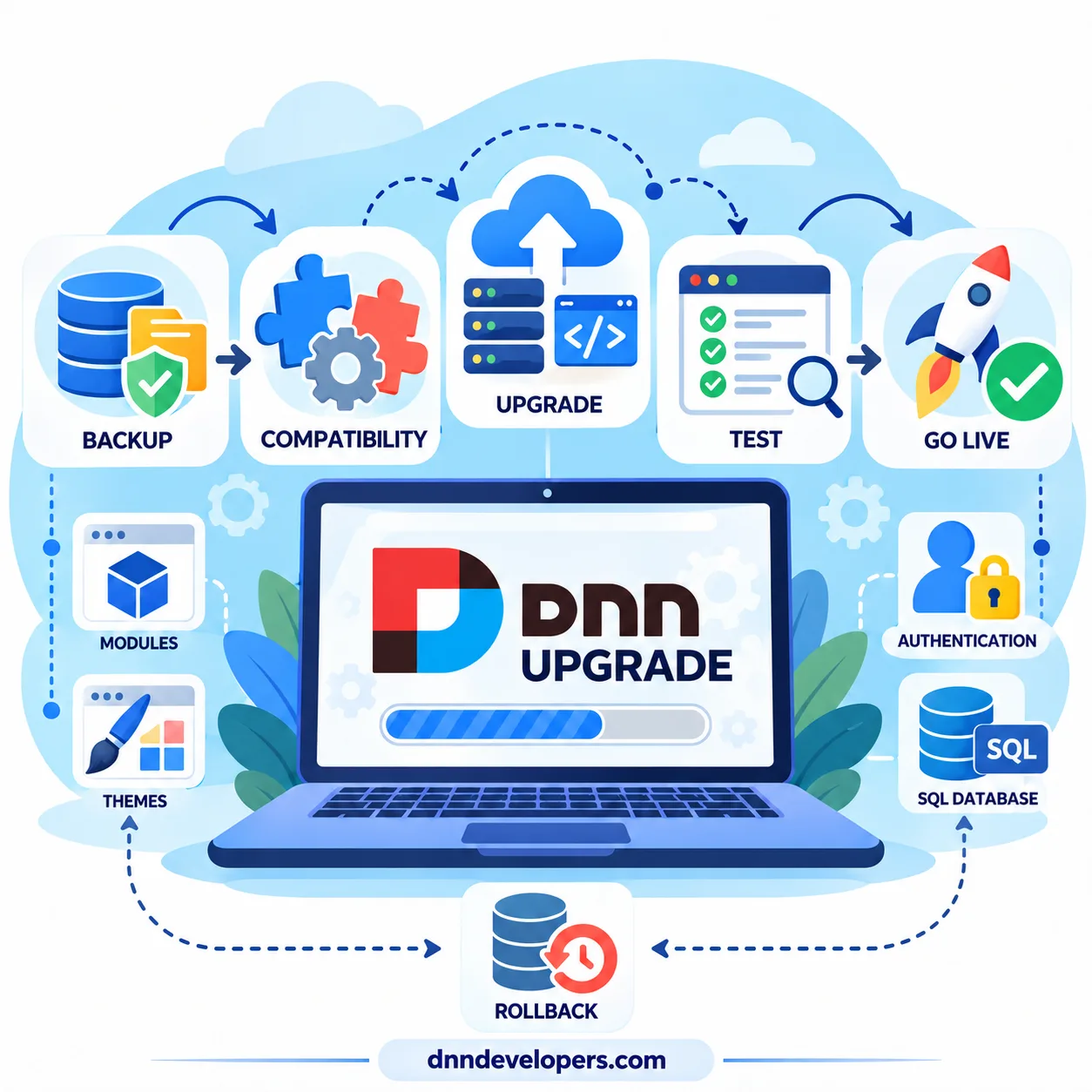
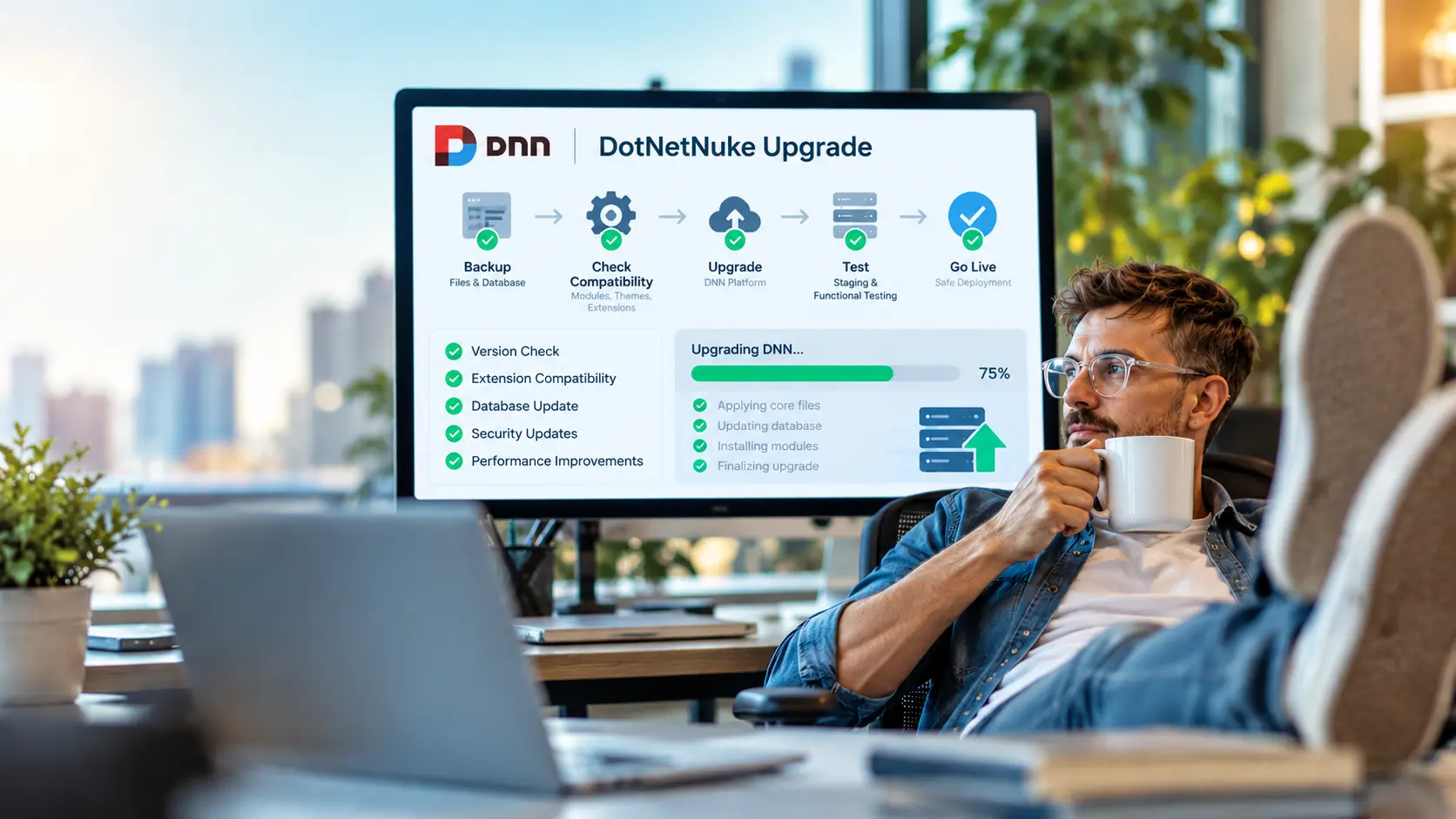
Upgrading a DotNetNuke (DNN) website requires more than installing a newer version of the content management system. A successful upgrade depends on selecting the correct upgrade path, checking infrastructure requirements, identifying incompatible extensions, protecting website data, and testing the application before deploying changes to production.
For businesses running customized DNN portals, an upgrade can affect custom modules, authentication providers, themes, database operations, scheduled tasks, and external integrations. Without preparation, these dependencies can cause runtime errors, downtime, or expensive recovery work.
This guide explains how to assess your current installation, validate the documented upgrade sequence, prepare staging, troubleshoot common problems, and confirm that the upgraded website is ready for production. It is written for DNN website owners, administrators, developers, and IT teams responsible for business-critical portals.
Important: DNN release information and upgrade instructions change. Verify the official documentation for your exact starting and target versions before changing a production website.
Why Upgrade Your DNN Website?
A planned DNN upgrade helps an organization maintain its CMS, address security and maintenance needs, preserve compatibility with supported infrastructure, and reduce the burden of legacy dependencies.
- Security and maintenance: Move away from outdated platform releases and apply available fixes appropriate to the target release.
- Infrastructure compatibility: Meet the framework, database, IIS, and operating-system requirements of the target version.
- Extension support: Keep custom modules, third-party components, themes, and authentication providers compatible.
- Maintainability: Reduce reliance on deprecated APIs, abandoned extensions, and unsupported libraries.
- Operational reliability: Improve the ability to test, deploy, monitor, and recover the application consistently.
An upgrade is also a useful time to inventory unused modules, legacy controls, custom SQL objects, and integration points. However, the newest release is not automatically the safest immediate target for every site. Select a target only after checking the source version, official upgrade guidance, compatibility requirements, business priorities, and recovery options.
Understanding DNN Upgrade Paths
A DNN upgrade path is the documented sequence of versions an existing installation should follow to reach a target release. Some older sites require intermediate milestones because platform dependencies, database updates, or APIs have changed between releases.
Start with the official DNN Platform Suggested Upgrade Path and review the DNN Platform release notes for the intended target.
Identify the current version and environment
Record the exact DNN version from the administration interface or trustworthy deployment records. If the administration interface is unavailable, inspect deployment manifests or version details associated with the installed platform files rather than guessing from the website's appearance.
Record the .NET Framework version, SQL Server version, IIS settings, installed extensions, custom code, authentication providers, and external integrations. These details affect the path and effort required.
Documented recent upgrade milestones
The table below reflects transitions listed in the published DNN Community suggested-upgrade-path documentation. It is a reference to the documented milestones, not a complete or guaranteed sequence for every site.
| Starting version | Documented milestone | Compatibility notes |
|---|---|---|
| DNN 10.2.5 | DNN 10.3.3 | Follow the post-10.2.0 upgrade procedure and review package-specific notes. |
| DNN 9.13.9 | DNN 10.2.5 | Review breaking changes, .NET Framework requirements, SQL Server requirements, and Telerik dependencies. |
| DNN 9.3.2 | DNN 9.13.9 | Validate extension compatibility and release-specific requirements. |
| DNN 9.1.1 | DNN 9.3.2 | Review APIs removed in DNN 9.2.0 and later, including affected legacy modules. |
| DNN 8.0.4 | DNN 9.1.1 | Audit older custom modules, dependencies, and configuration. |
| DNN 7.4.2 | DNN 8.0.4 | Validate compatibility for legacy modules and the runtime environment. |
Current-path qualification: the official releases page lists DNN 10.4.0 with a release date of 6 October 2026, while the published suggested-upgrade-path table still lists 10.2.5 → 10.3.3 as its newest 10.x transition. Do not infer a direct 10.3.x → 10.4.0 path from the release announcement alone. Check the latest suggested path and release-specific instructions before proceeding.
The official guidance explains that a source version between listed milestones may need to be upgraded first to the closest preceding listed version. Apply that approach only after reviewing the notes for the actual starting version and extension set.
How to choose the target version
- Confirm the exact installed DNN version.
- Read the official suggested upgrade path and target release notes.
- Identify required intermediate steps and packages.
- Check the system requirements for each relevant transition.
- Audit business-critical modules, themes, providers, and integrations.
- Test the full upgrade sequence on a production-like staging site.
DNN 9.x to DNN 10.x Compatibility
Moving from DNN 9.x to DNN 10.x requires careful review because it can involve framework requirements, breaking changes, legacy dependency removal, and custom-code remediation.
.NET Framework and database requirements
DNN 10 introduced a minimum requirement of .NET Framework 4.8 and has specific SQL Server requirements. Confirm the complete requirements for the target release and supported operating system on the official DNN Platform requirements page. Installing a newer runtime does not automatically make an incompatible custom module compatible.
Telerik dependency removal
Telerik dependencies deserve special attention. The official upgrade guidance describes Telerik removal as optional but highly recommended for DNN 9.8.0 and later 9.x releases; DNN 10 removes DNN-provided Telerik versions. Identify custom modules, themes, and third-party packages that use Telerik controls or assemblies before upgrading.
Do not simply delete DLL files. Trace the dependency, confirm a compatible vendor release or replacement strategy, and test the change in staging.
Custom modules, APIs, and authentication
Older modules may use APIs that have changed or been removed. Where source is available, review project references, target frameworks, packages, and compiler warnings, then rebuild against the intended environment. For binary-only modules, check vendor support and obtain a compatible release or plan a replacement.
Test authentication providers, single sign-on (SSO), login and logout, password recovery, callback URLs, permissions, payment gateways, email, SMS, scheduled tasks, and APIs independently. A completed upgrade wizard does not guarantee that every integration works.
DNN System Requirements and Compatibility Checks
Validate the exact target release's requirements before upgrading. A generic compatibility table cannot replace version-specific documentation.
| Component | What to check | Why it matters |
|---|---|---|
| DNN Platform | Source version, target version, intermediate milestones | Determines the upgrade procedure. |
| Windows Server and IIS | Supported OS, application pool, installed features, file permissions | Incorrect settings can prevent startup or file operations. |
| .NET Framework | Required and installed versions | Framework mismatches can cause startup or compilation errors. |
| SQL Server | Supported engine version, permissions, database backup, storage | Database compatibility or permission issues can block the upgrade. |
| Extensions | Vendor support, versions, external assemblies | Modules may rely on outdated APIs or libraries. |
| Themes and skins | CSS, JavaScript, controls, layouts | Rendering and interactive behavior may change. |
| Authentication | Login providers, SSO, callback URLs | Users may be unable to sign in. |
| Background processing | Scheduled tasks, service accounts, integrations | Jobs may fail without an obvious front-end error. |
For DNN 10.0.0 and later, the DNN requirements page specifies .NET Framework 4.8 or later and lists SQL Server 2017, SQL Server 2019, SQL Server 2022, and Azure SQL Database. Review the live requirements before using these details for a deployment.
Related references: DNN Platform requirements and Microsoft .NET Framework system requirements.
Database preparation
Confirm that a database backup is valid and restorable. Record custom stored procedures, triggers, scheduled jobs, and external tools that depend on direct SQL access. Avoid changing database compatibility levels or modifying core DNN tables unless a documented technical requirement justifies the change.
How to Audit Custom DNN Modules, Themes and Dependencies
A compatibility audit helps identify the highest-risk parts of a customized DNN website before deployment.
- Inventory extensions. Record module, theme, provider, version, vendor, business purpose, and source-code availability.
- Verify vendor compatibility. Review product documentation, release notes, licensing, and support statements for the exact target release.
- Inspect code and assemblies. Where source is available, inspect project references, target frameworks, NuGet packages, deprecated APIs, and third-party controls.
- Audit the theme. Test navigation, module containers, administration pages, forms, responsive layouts, CSS, and JavaScript. Use browser developer tools to inspect failed requests and console errors.
- Prepare a remediation plan. Classify each extension as compatible, requiring a vendor update, requiring code changes, requiring replacement, or still unknown.
Prioritize business-critical functions such as booking, commerce, payments, reporting, authentication, forms, and integrations. An unknown dependency that supports a core business workflow should be resolved before production deployment.
Step-by-Step DNN Upgrade Procedure
Use a controlled, repeatable process. The detailed package procedure differs by source version, so follow the official instructions for the selected transition.
Step 1: Document the current environment
Record DNN, Windows Server, IIS, .NET Framework, SQL Server, installed extensions, configuration changes, and external integrations. Capture production-specific values not included in the normal deployment package.
Validation: the inventory describes the running website and the target requirements are known.
Step 2: Define the upgrade path
Check the official suggested path and relevant release notes. Identify each package and the instructions that apply to it.
Validation: every planned step has a documented package, procedure, and recovery plan.
Step 3: Back up the website and database
Back up website files, configuration, custom code, uploaded content, and the SQL Server database. Keep copies outside the live web root and protect them from unauthorized access. Where possible, perform a trial restore in an isolated environment.
Validation: backups are accessible, database restoration has been verified, and the recovery steps are documented.
Step 4: Prepare staging
Clone the website and database to an isolated staging environment that closely matches production. Disable or redirect outbound email, payment processing, and integrations that could affect live systems. Protect production credentials and sensitive data.
Validation: staging works normally before the upgrade begins.
Step 5: Resolve compatibility problems
Update or replace incompatible extensions, test custom modules, and review legacy dependencies. Resolve blockers affecting authentication and critical business processes before continuing.
Validation: known blockers are fixed or have an approved mitigation plan.
Step 6: Follow the correct package procedure
For DNN versions before 10.2.0, follow the pre-10.2.0 upgrade instructions. For DNN 10.2.0 and later, follow the post-10.2.0 upgrade instructions. Do not mix procedures; follow the version-specific directions for the chosen package and every intermediate release.
Validation: the platform reports the intended version and no unresolved upgrade errors remain.
Step 7: Inspect logs and upgrade results
Review the DNN event log, application logs, IIS logs, and SQL Server errors where relevant. Identify whether a failure occurred during file deployment, database updates, startup, or custom-module execution. Do not repeatedly rerun a failed process without understanding the application and database state.
Validation: the application starts normally and unexplained critical errors are resolved.
Step 8: Test functional workflows
Test administration, authentication, roles, forms, module settings, search, uploads, scheduled tasks, email, APIs, and any business-critical integrations. Test actual tasks rather than only loading the homepage.
Validation: critical workflows pass and remaining defects have a documented severity and resolution plan.
Step 9: Deploy to production
Agree on a maintenance window. Confirm backup and restore access, the tested package, configuration changes, rollback criteria, and stakeholder approval. Apply the process validated on staging, inspect logs, and run critical smoke tests before reopening the site.
Validation: production is on the planned version and business-critical tests pass.
Step 10: Monitor and document
Monitor application errors, authentication, scheduled jobs, external integrations, performance, and user feedback. Record the deployed version, applied packages, changes, test results, and known issues.
Validation: the site operates normally under representative use and post-deployment issues are tracked.
Realistic DNN Upgrade Scenarios
Scenario 1: A legacy website with outdated custom modules
A long-running portal may contain proprietary modules, older theme s, and integrations whose original developers are unavailable. Inventory dependencies, confirm the supported upgrade path, assess business-critical extensions, and determine whether each can be updated or must be replaced. Test the full plan on staging. Treat unverified critical functionality as a deployment blocker.
Scenario 2: Moving from DNN 9.13.x to DNN 10.x
Review framework requirements, Telerik dependencies, custom module APIs, and authentication providers. Verify the latest official path, assess every business-critical extension, and test the intended release sequence on staging. Do not assume that every DNN 9.13.x installation follows the same sequence.
Scenario 3: Upgrade failure with HTTP 500 errors
Locate the underlying exception in the application and IIS logs. Determine whether the failure is caused by application startup, a missing assembly, configuration, database operations, or a custom module. If the issue cannot be corrected safely in the maintenance window, follow the recovery plan and restore matching website files and database backups if a full rollback is required.
These are illustrative operational scenarios, not claims about specific client incidents.
Common DNN Upgrade Errors and Troubleshooting
| Symptom | Possible cause | Diagnostic step | Corrective approach |
|---|---|---|---|
| HTTP 500 error | Startup exception, configuration, dependency, or extension failure | Review detailed exceptions and IIS logs. | Fix the identified dependency or configuration issue. |
| Missing assembly | Incomplete deployment or incompatible dependency | Identify which component loads the assembly. | Deploy the supported dependency or update the module. |
| Compilation error | Obsolete API, incorrect reference, framework mismatch | Review compiler output and module source. | Update references and rebuild the affected component. |
| Database upgrade failure | SQL exception, permissions issue, failed migration | Inspect upgrade and SQL Server error details. | Resolve the specific issue using documented steps. |
| Login failure | Provider incompatibility or configuration problem | Test the full login flow and inspect logs. | Correct provider configuration or extension compatibility. |
| SSO callback error | Callback URL mismatch or identity-provider configuration | Review application and identity-provider logs. | Correct registered URLs and provider settings. |
| Telerik-related error | Extension still references removed Telerik assemblies | Trace the assembly reference to its component. | Update or replace the affected component. |
| Theme or JavaScript error | CSS, markup, library, or control incompatibility | Inspect browser console and failed requests. | Update and regression-test theme assets. |
| Scheduled job failure | Permissions, configuration, or integration issue | Review task history and application logs. | Correct the cause and run a controlled test. |
| Incomplete upgrade | Interrupted deployment or partially applied changes | Determine whether files and database were modified. | Use validated repair steps or restore a consistent backup. |
A symptom is not a diagnosis. Collect error details before applying a fix, and avoid deleting assemblies or modifying core database objects without confirming dependencies and recovery options.
Post-Upgrade Testing Checklist
Core website
- Homepage and critical landing pages load.
- Navigation, menus, and responsive layouts work.
- Users can log in and out.
- Roles and permissions behave correctly.
- Forms, search, file uploads, and administration work.
Extensions and integrations
- Business-critical custom modules complete their main workflows.
- Third-party extensions are compatible and licensed.
- Theme controls and JavaScript work as expected.
- Authentication and SSO flows pass.
- Emails, external APIs, payment workflows, and scheduled jobs pass controlled tests.
Infrastructure, security, and SEO
- DNN reports the intended version.
- Application and IIS logs contain no unresolved critical errors.
- IIS application-pool settings and file permissions are correct.
- HTTPS and redirects work as expected.
- Database connectivity and critical queries work.
- Canonical URLs, metadata, XML sitemaps, robots directives, and important status codes remain correct.
- Analytics and conversion tracking operate.
- Backups and recovery access remain available.
Do not declare the upgrade complete solely because the wizard finished. Validate the actual tasks visitors and staff rely on.
Rollback and Disaster Recovery
Prepare a rollback plan before production deployment. If a critical issue occurs, assess whether a targeted repair can be completed safely within the maintenance window. If reliable recovery is uncertain, follow the documented restoration procedure.
- Stop further deployment changes and assess the current state.
- Identify the correct pre-upgrade website and database backups.
- Restore website files to a clean, consistent state.
- Restore the matching database backup.
- Restore necessary uploaded files, external storage, or configuration that changed during deployment.
- Test application startup, authentication, permissions, and critical workflows.
- Document the failure and corrective actions before rescheduling.
Data-loss warning: restoring the database may remove transactions or content created after the backup. Assess the impact and agree on a recovery plan before restoring. Copying old files over a partially upgraded installation is not a reliable substitute for a complete, consistent rollback.
See the official pre-10.2.0 upgrade guide and post-10.2.0 upgrade guide.
DNN Upgrade Best Practices
- Plan around documented paths. Do not choose an arbitrary target without checking prerequisites and intermediate releases.
- Audit dependencies early. Custom modules, authentication providers, themes, and integrations often determine the real upgrade effort.
- Verify backups. A backup that has never been restored is an untested recovery assumption.
- Use production-like staging. Test the actual packages, configuration, and critical workflows intended for production.
- Change one major variable at a time. Where practical, avoid combining a CMS upgrade with a server migration, database-engine migration, redesign, and unrelated code changes in one untested release.
- Use change control. Maintain a maintenance window, approval process, clear validation criteria, and rollback triggers.
- Document the outcome. Record version numbers, applied packages, configuration changes, test results, and outstanding defects.
- Review target release notes. Pay particular attention to new releases and websites that rely on customized extensions.
Frequently Asked Questions About DNN Upgrades
Can I upgrade directly to the latest DNN version?
Not always. The required path depends on the starting version and current official guidance. Identify required intermediate releases and test the complete sequence in staging.
How do I find the correct DNN upgrade path?
Start with the official suggested upgrade path, then review the exact source version, target release notes, requirements, and special instructions.
Can I upgrade DNN 9.13.x to DNN 10.x?
The published guidance includes a DNN 9.13.9 to DNN 10.2.5 milestone. Each installation still needs a review of system requirements, extensions, themes, authentication, and later target-version instructions.
Will my custom DNN modules still work after upgrading?
Compatibility is not guaranteed. It depends on code, APIs, assembly references, framework requirements, and external dependencies. Test critical workflows against the target release.
Do I need to upgrade my DNN theme?
Not in every case. Test existing themes for markup, CSS, JavaScript, control, and responsive-layout compatibility. Update the theme when testing identifies a problem.
What should I check before upgrading Telerik-dependent modules?
Identify every module and custom component that references Telerik. Check vendor updates or replacement approaches, then validate the change in staging. Do not remove assemblies without tracing dependencies.
How long does a DNN upgrade take?
The effort depends on source and target versions, customizations, extension compatibility, hosting, testing needs, and whether code remediation or migration is required. Estimate after a technical assessment.
Can a DNN upgrade be completed without downtime?
That depends on the hosting architecture and changes required. Plan for a maintenance window unless a tested deployment approach meets the site's availability and recovery requirements.
What should I do if a DNN upgrade fails?
Stop and identify the failing stage. Review application, IIS, database, and upgrade logs. Follow a validated repair procedure or restore matching website and database backups if rollback is necessary.
How do I know when the upgrade is complete?
Confirm the target version, review logs, test administration and business-critical workflows, validate integrations and authentication, and monitor the site after deployment. Wizard completion alone is insufficient.
How to Choose a DNN Upgrade Team
The right DotNetNuke upgrade partner should understand the complete application, not just the core installer. Before choosing a provider, ask how they will assess your version, handle custom modules, validate integrations, protect the database, and recover if a deployment fails.
- Version-specific planning: The provider should identify the documented upgrade path and explain why each milestone applies to your site.
- Extension-level expertise: Ask how they will test custom modules, third-party extensions, themes, authentication providers, and Telerik-dependent components.
- Verified backups and rollback: Confirm the plan covers both website files and the matching database, with restoration responsibilities clearly defined.
- Staging and regression testing: Require evidence that the proposed process validates business-critical workflows before production deployment.
- Transparent scope: Separate the core platform upgrade from extension remediation, theme fixes, hosting changes, and post-upgrade support.
- Clear handover: Expect a record of source and target versions, packages applied, tests performed, remaining risks, and recovery steps.
A useful proposal should describe the risks and assumptions discovered during assessment rather than promising that every upgrade will be seamless. The best-fit team is one that can explain the technical plan, provide evidence of relevant DNN experience, and take responsibility for testing the parts of your website that matter to the business.
Professional DNN Upgrade Services
A successful DNN upgrade must protect website code, content, databases, integrations, and business workflows—not just the CMS installation.
DNNDevelopers provides DotNetNuke development, version upgrade, migration, custom module, theme, and maintenance services. Our team can assess your current installation, identify compatibility risks, prepare an upgrade plan, validate extensions, and support staging and production deployment.
Whether you maintain a legacy DNN portal or a customized enterprise website, a structured upgrade process helps identify risks before they affect production.
Planning a DNN upgrade? Share your current version, intended target, hosting environment, and custom extension requirements so the upgrade path and compatibility risks can be assessed before deployment.
Explore DNN Upgrade Services or learn about DotNetNuke development services.